Why a drone show’s white looks pink, and how calibration fixes it
Why "white" show drones often look pink, blue or green: RGB vs RGBW, LED binning, heat, gamma and cameras, plus a checklist for buyers and operators.

In this article 9 sections
- RGB, RGBW and what “white” really is
- Why mixing red, green and blue gives a tinted white
- No two LEDs are the same: binning
- Heat: red fades first
- Current, PWM and gamma
- Cameras and phones don’t see what you see
- Why a fleet of hundreds makes it worse
- What calibration really means
- A checklist for buyers and operators
Watch enough drone shows and you will see it. A logo that should be clean white looks slightly pink on one side and greenish on the other. Or a white formation looks fine to the eye, then turns blue in every phone video. The animation is not the problem. The cause is how LEDs make colour, how they behave as they heat up, and what happens when you put hundreds of them side by side in the sky.
We build show drones and fly them, and white is the colour we test hardest. Here is why it goes wrong, in plain words, and what to check before you buy or book.
RGB, RGBW and what “white” really is
A show drone’s light is made of separate colour channels. An RGB light has red, green and blue. An RGBW light adds a fourth, white channel.
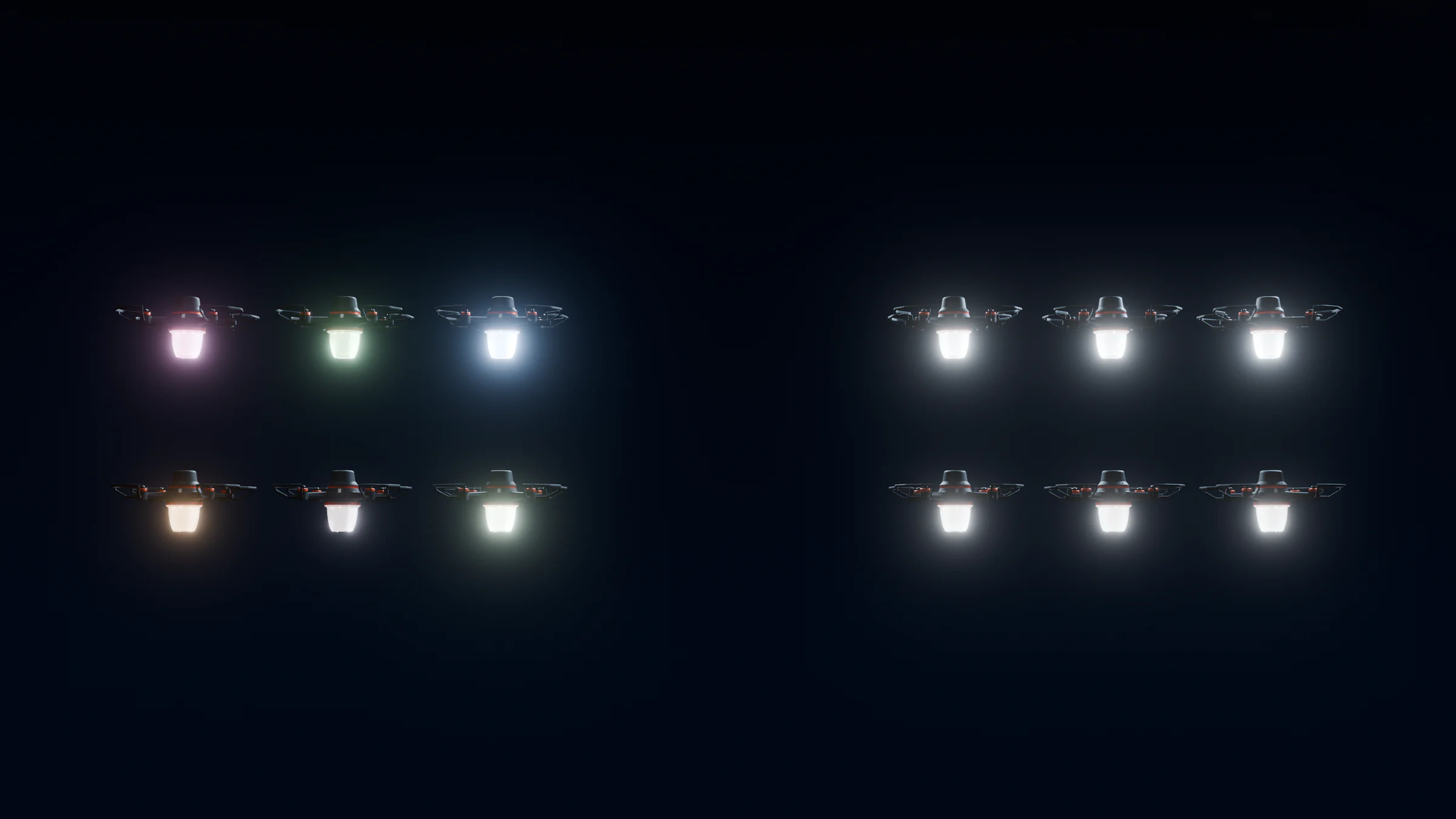
The two kinds of white are made very differently. An RGB light makes white by mixing three narrow colours. Our eyes have three kinds of colour receptor, so many different mixes of light can look like the same white, as the US Department of Energy’s LED colour fact sheet explains. A dedicated white LED works differently. It uses a blue chip under a phosphor that converts some of the light to yellow, giving a broad spectrum. ams OSRAM’s application note on RGB LED design (AN117) puts the colour rendering of RGB white below 50, compared with 70 to 90 for phosphor white LEDs.
“White” also needs a definition. A common reference is CIE standard illuminant D65, which represents average daylight at about 6,500 K. A fleet is only “white” if every drone hits the same agreed target.
Why mixing red, green and blue gives a tinted white
To make white from RGB, the three channels must stay in an exact ratio. A small error in any one of them shows up as a tint. Too little green reads as pink or magenta. Too little red reads as cyan or cold blue. Too little blue reads as yellow-green.
The eye is very good at spotting this. Lighting researchers at PNNL describe colour difference in “MacAdam steps”, where one step is about 0.001 in the CIE u’v’ colour diagram. In MacAdam’s original experiments, a just-noticeable difference was about three steps. For RGB lighting, ams OSRAM gives a typical colour accuracy target of ±0.01 u’v’. These are very small margins, and an uncorrected LED cannot hold them.
No two LEDs are the same: binning
LED chips vary as they come off the production line. Makers sort them into “bins” by brightness and colour, and the bins are wider than most people expect. In Cree’s XLamp XM-L Color datasheet, one brightness group for the blue die spans 13.9 to 39.8 lumens at the same 350 mA current, and one red group spans 45.7 to 87.4 lumens. The cool white option on the same part spans 5,700 K to 8,000 K. Lumileds’ LUXEON C Color Line datasheet allows red between 624 and 634 nm, green between 520 and 540 nm, and blue between 465 and 485 nm.
Tighter binning helps, but it does not solve the problem. ams OSRAM notes that one of its RGB LEDs has 22 colour bins and 31 brightness bins. Even when every chip comes from a single bin, the note shows, an RGB LED without calibration and temperature control still misses the colour target.
Heat: red fades first
This is the effect most buyers never hear about. LED output drops as the chip heats up, and the colours drop at different rates.
Red LEDs use a different semiconductor (AlInGaP) from blue and green (InGaN), and red is far more sensitive to heat. Cree’s datasheet plots light output against chip temperature. At a 100 °C junction, the red die gives roughly half of its 25 °C output. Green and white keep roughly 80%, and blue barely changes. Lumileds’ curves show the same pattern: its red LED gives about 1.6 times as much light at 25 °C as at 85 °C, while its blue output even rises slightly with temperature. Wavelength drifts too: Lumileds lists about 0.06 nm per °C for red against 0.03 nm per °C for blue.
ams OSRAM is explicit that red output falls sharply with temperature while blue and green fall less. It also warns that temperature differences between LEDs can produce visible colour differences. It recommends placing the temperature sensor next to the red chip, because red is the most sensitive.
For a show drone this is a real flight condition. The LEDs warm from the moment the show starts. A white that was balanced cold loses red as it heats and drifts toward cyan. A white balanced hot does the opposite: it reads pink when the drone is still cold. Lumileds, for example, tests and bins its colour LEDs at an 85 °C junction, not room temperature.
Current, PWM and gamma
Drive current changes colour as well as brightness. ams OSRAM reports that the dominant wavelength of green and blue LEDs shifts as current rises, while red barely moves. That is why it recommends driving each channel at constant current and setting brightness with pulse-width modulation (PWM): the LED switches fully on and off very fast, and the share of on-time sets the brightness.
PWM is linear, but our eyes are not. Adafruit’s guide to LED gamma correction notes that a light that looks half as bright needs a value around 36 out of 255, not 127. Gamma correction fixes the brightness curve but costs low-end resolution. In Adafruit’s example table, inputs 1 to 27 all switch the LED off. At low brightness, one channel can drop to zero or jump a step before the others. That is why a dim white or a soft pastel often looks more colourful than intended.
Current derating adds one more effect. Datasheets such as Lumileds’ require derating, meaning lower current, to keep the chip below its maximum temperature. If firmware cuts only one channel when it gets hot, the colour changes. If it scales all channels together, the drone just gets a little dimmer.
Cameras and phones don’t see what you see
Your eye adapts to the colour of the light around it. Canon describes camera white balance as imitating this adaptation, done automatically in AWB mode. But auto white balance is a guess. Image Engineering explains that it uses methods such as the grey-world assumption, and can fail when one colour dominates the scene. A night sky full of saturated colour is exactly that kind of scene, and the camera’s white can swing from shot to shot.
There is a deeper issue. Off-the-shelf cameras do not respond to colour the way the eye does. Researchers at the University of East Anglia note in Optics Express that ordinary RGB cameras do not meet the “Luther condition” needed for accurate colour measurement. With narrow-band LED light, two whites that match to the eye can separate on camera, and the reverse can happen too. If the show will be filmed, judge colour on camera as well as by eye, and lock the camera’s white balance instead of leaving it on auto.
Why a fleet of hundreds makes it worse
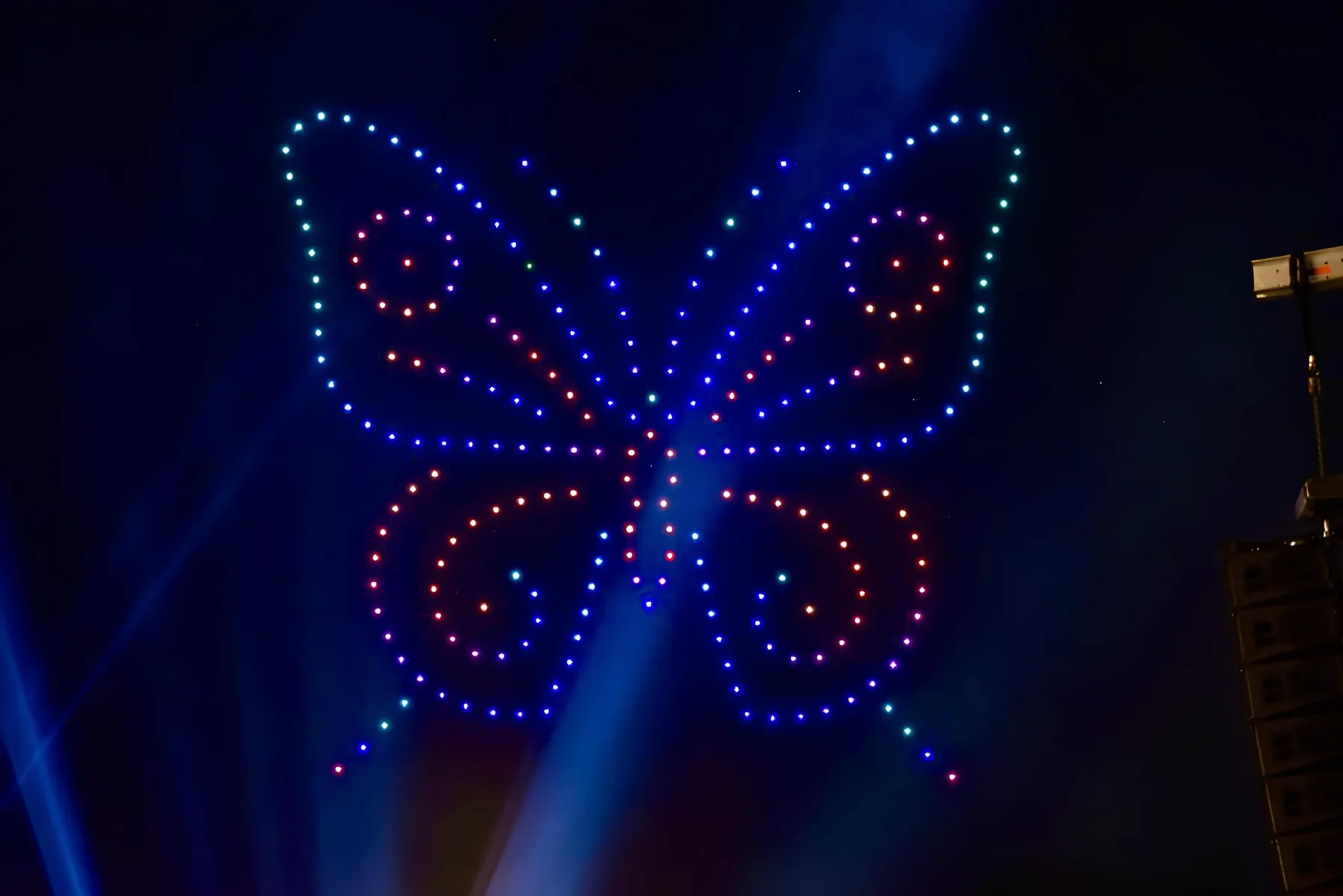
One drone on its own is hard to judge, because your eye adapts to it. Five hundred drones in one white logo are a side-by-side comparison of five hundred samples. PNNL lists field of view and proximity among the factors that decide whether a colour difference is noticed. A dense formation puts every drone next to its neighbours at once.
A fleet also adds variation that a single light does not have. In a typical show, some drones hold bright white for minutes while others sit dark, so their LEDs reach different temperatures. Drones come from different LED bins and production batches. Ageing adds more: ams OSRAM notes that package ageing in an RGB LED starts around the blue chip, so blue dims first. In a fleet that mixes old and new aircraft, small differences add up into visible patches.
A white logo of 500 drones is a colour comparison test with 500 samples. Any drone that is slightly off stands out.
What calibration really means
“Calibrated” can mean a lot or very little, so ask what it covers. Done properly, it has three parts.
- Per-drone, per-channel correction. Each drone’s light output is measured, and correction values for every channel are stored on that drone. A requested colour, defined in a set colour space with a set white point, then produces the same result on every aircraft. ams OSRAM describes the same approach: measure each LED module in production and adjust the drive from the stored data.
- Temperature compensation. LED temperature is measured in flight and the channel balance is adjusted as the LEDs warm, mostly to make up for red. ams OSRAM recommends exactly this: a temperature sensor and a controller that adjusts the PWM duty cycle per channel.
- Thermal management and protection. Cooling keeps the LEDs cooler, so the drift is smaller and the LEDs last longer. Thermal protection steps in before the LEDs overheat, and should lower brightness without changing the colour.
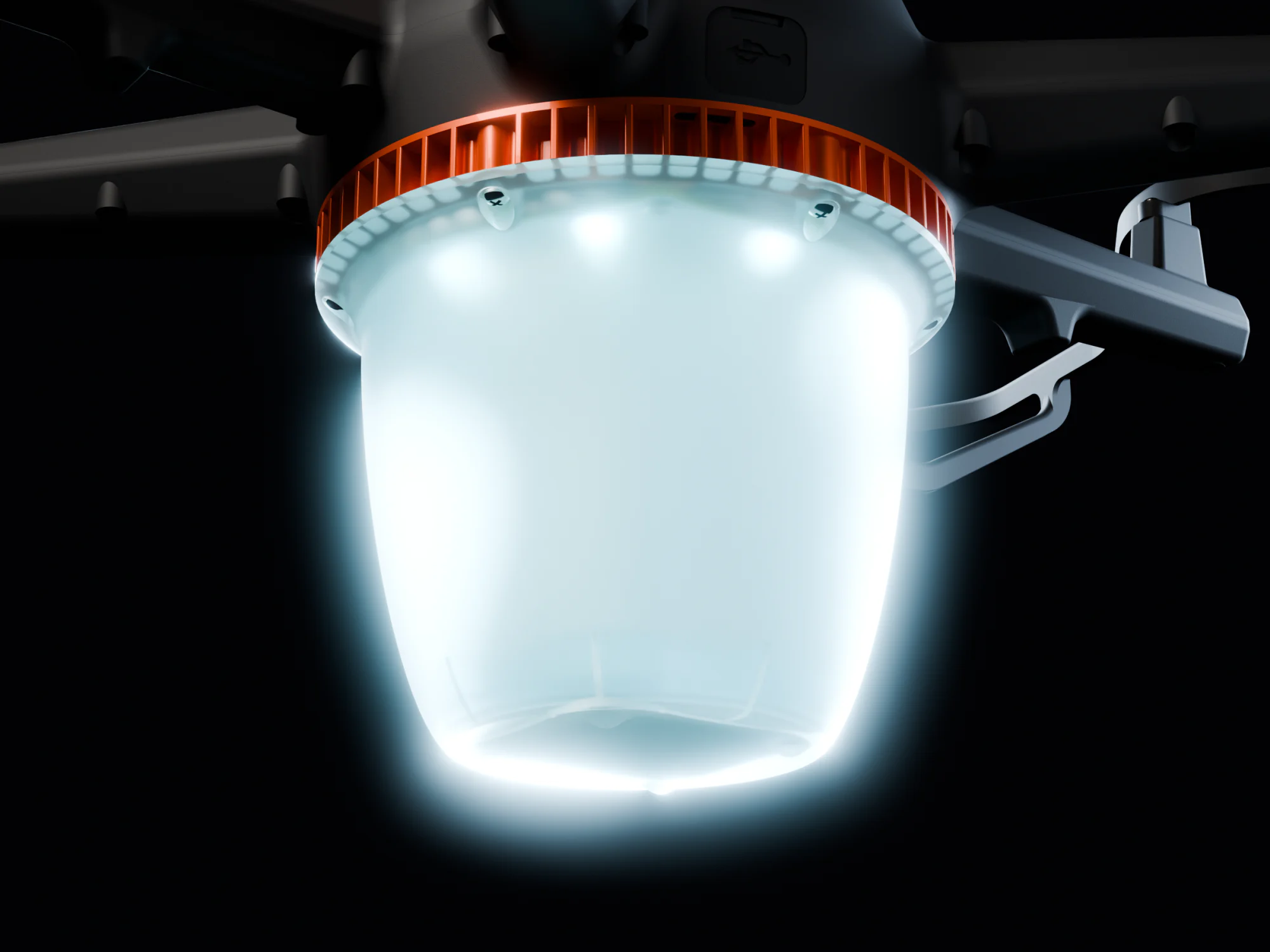
A real white channel helps here. The white LED gives a broad white directly, and its output holds up with heat far better than red does. The red, green and blue channels then only trim the white to the target, instead of building it from scratch.
Our own aircraft are built with this in mind. NOVA uses calibrated RGBW light, up to 32 W and about 1,800 lumens, with LED cooling and temperature monitoring that protects the LEDs. GP4 2.0 carries 25 W of calibrated RGBW, about 1,400 lumens.
A checklist for buyers and operators
- Ask for calibrated RGBW, and ask what the calibration targets: which white point, which colour space, and what tolerance.
- Ask whether calibration is per drone and per channel, and whether temperature compensation runs during flight.
- Ask what happens at the thermal limit. The right answer is “it gets dimmer”, not “it changes colour”.
- Look at a full-white frame from audience distance, with as many drones side by side as you can get. Single-drone demos hide the problem.
- Check colours again after 10 minutes of flight, when the LEDs are warm. Compare white, pastels and brand colours with minute one.
- Check dim levels. Fade white down to 10 to 20% and look for tints.
- Film it with a fixed white balance and compare the footage with what you saw.
- Mix old and new drones in the test if the fleet has aircraft of different ages.
If you would like to see how a calibrated fleet holds its white over a full flight, get in touch.