PILOT
The console that keeps a big drone show honest. Real-time control, clear-headed monitoring at fleet-scale, and safety layered into every second — so a busy sky never means a lost show.
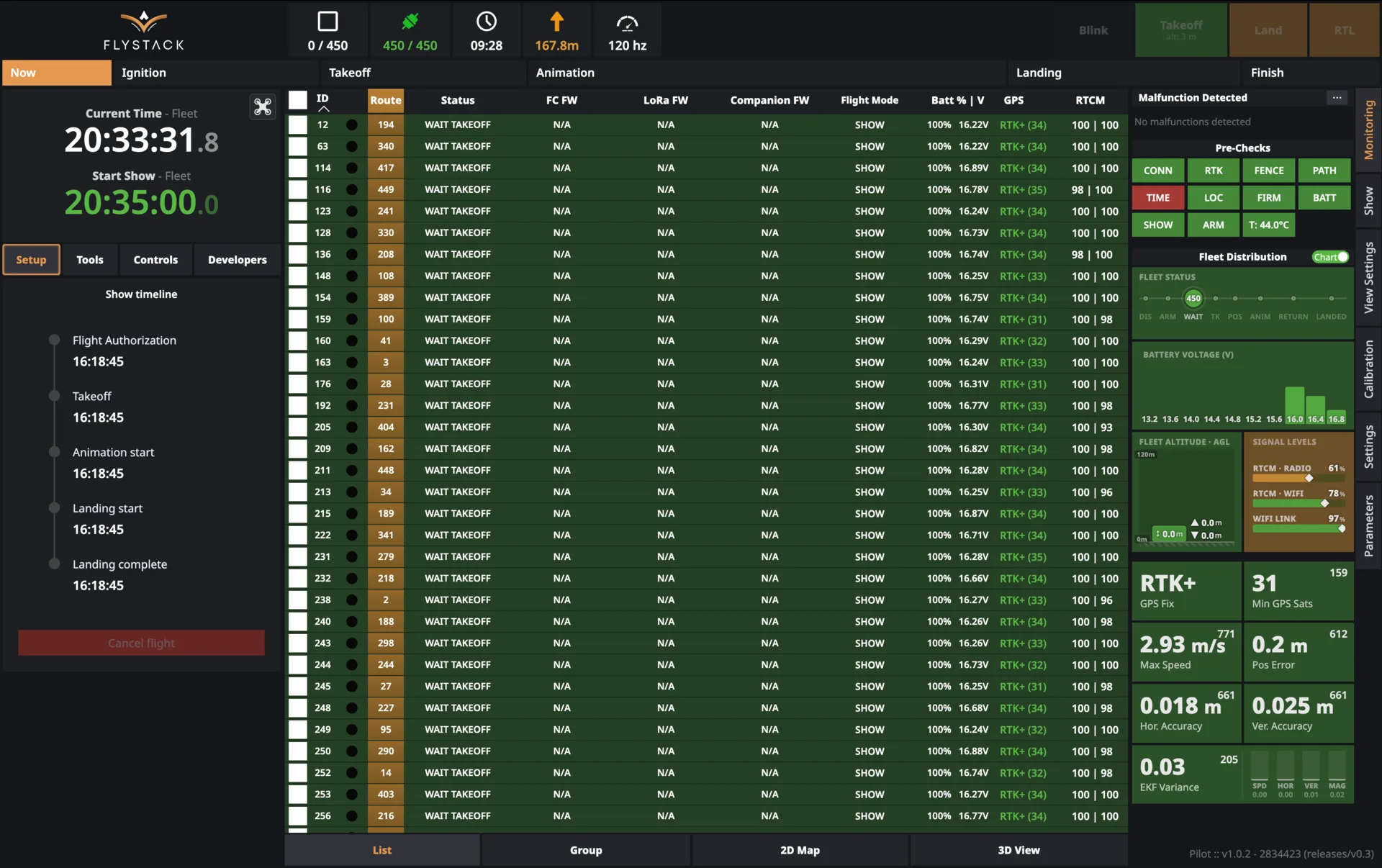
The whole fleet, in one calm interface.
PILOT is the software your team runs during the show. It shows you exactly what every drone is doing right now, catches problems before they become incidents, and puts every safety control one click away. Built to feel simple when everything is going well — and to give the operator complete authority when it doesn't.
Built to fly fleets safely, at scale.
See the fleet at a glance
Purpose-built visualizations show the shape of the whole fleet — not just one worst-case number.
- Live telemetry for every drone
- Distribution views for battery, altitude, signal
- Real-time flight-phase timeline
Show planning & execution
A guided flow takes a show project all the way to launch, with the same routine every time.
- 2D and 3D preview with satellite imagery
- Automatic drone-to-position assignment
- Precise, timeline-locked start
Layered safety
Three independent safety envelopes around the fleet, plus an emergency stop that's always one deliberate action away.
- Soft, Hard and Ballistic geofences
- Physical and virtual (PIN-protected) kill switches
- Automatic emergency response
Redundant, encrypted command
Command reaches the fleet even when a channel goes down. Nothing about the show depends on a single link.
- Primary and backup command paths
- Encrypted end-to-end
- RTK precision positioning built in
Preflight that gates flight
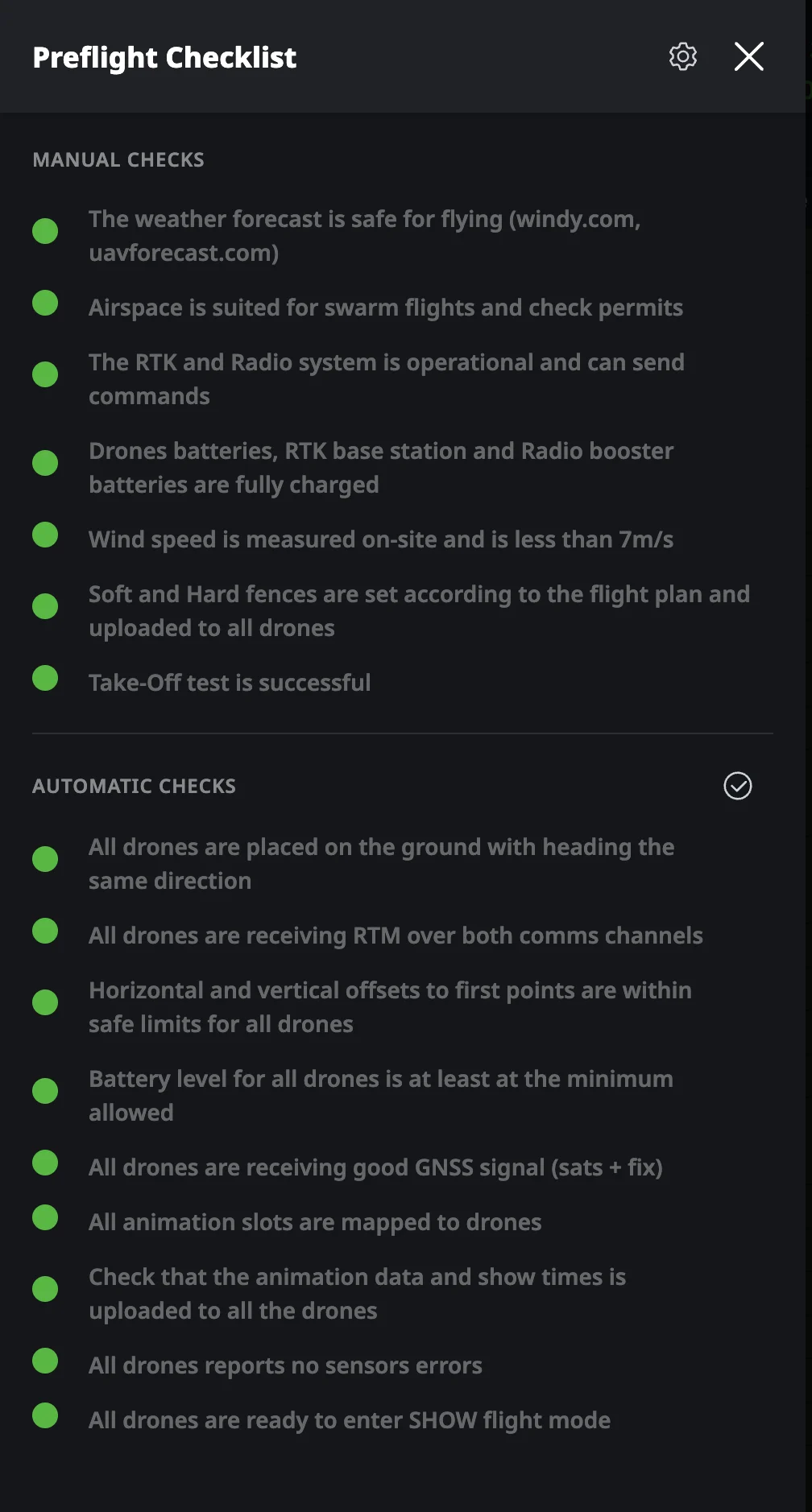
The show doesn't authorize until every check clears. Human error stops being the weak link.
- Automatic show-file verification
- Fleet-wide pre-flight validation
- Blocking alerts on any hard failure
Reporting & compliance
Every show becomes data your insurer, your client and your maintenance team can rely on.
- Per-drone flight history
- Anomaly detection built in
- One-click export for audits
The right view for the moment you're in.
Different situations call for different perspectives. PILOT gives the operator three fleet views — a searchable tabular list, a top-down satellite map, and a photorealistic 3D scene — all reading from the same live state. Switch between them with one click; nothing gets out of sync.
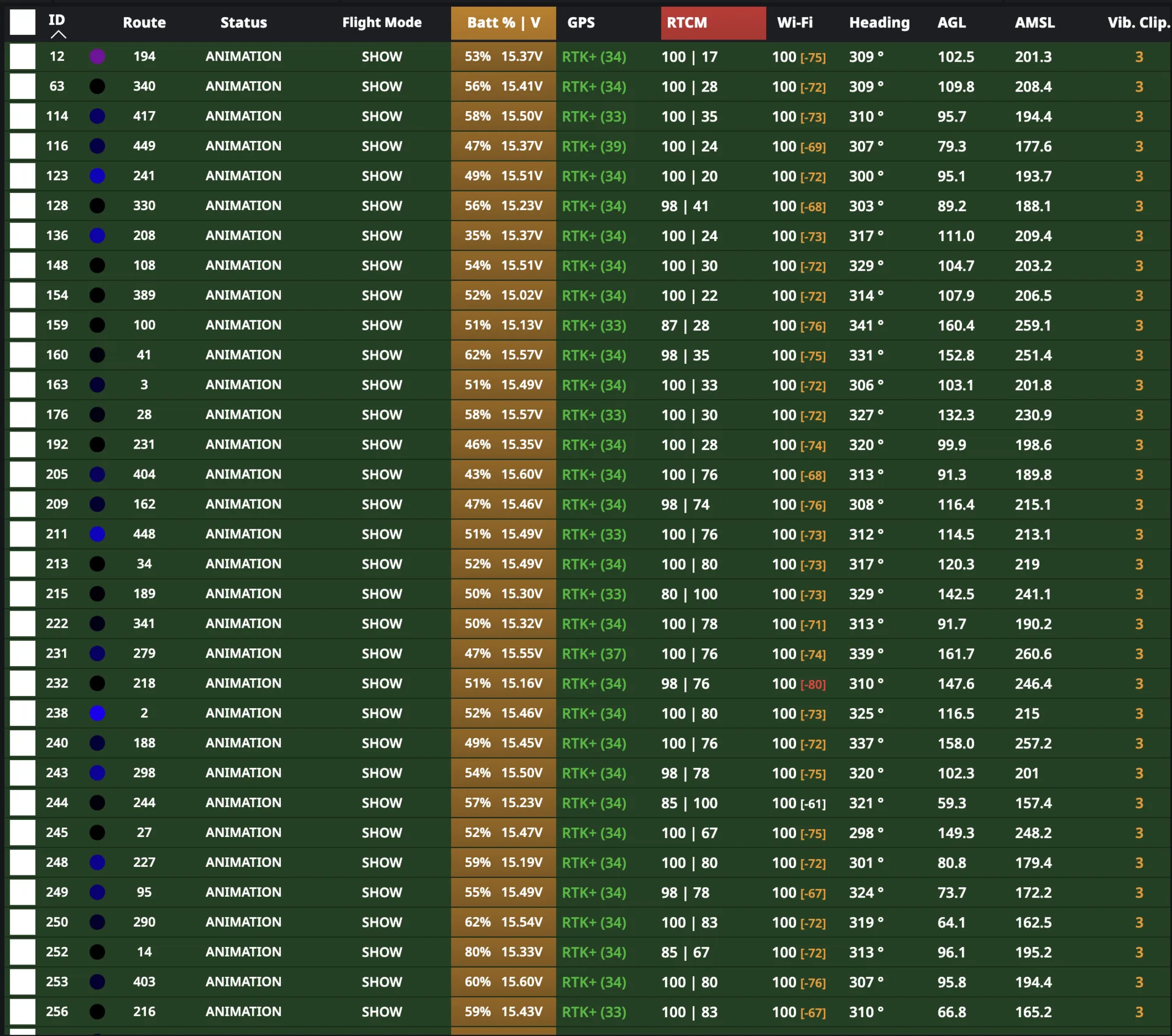
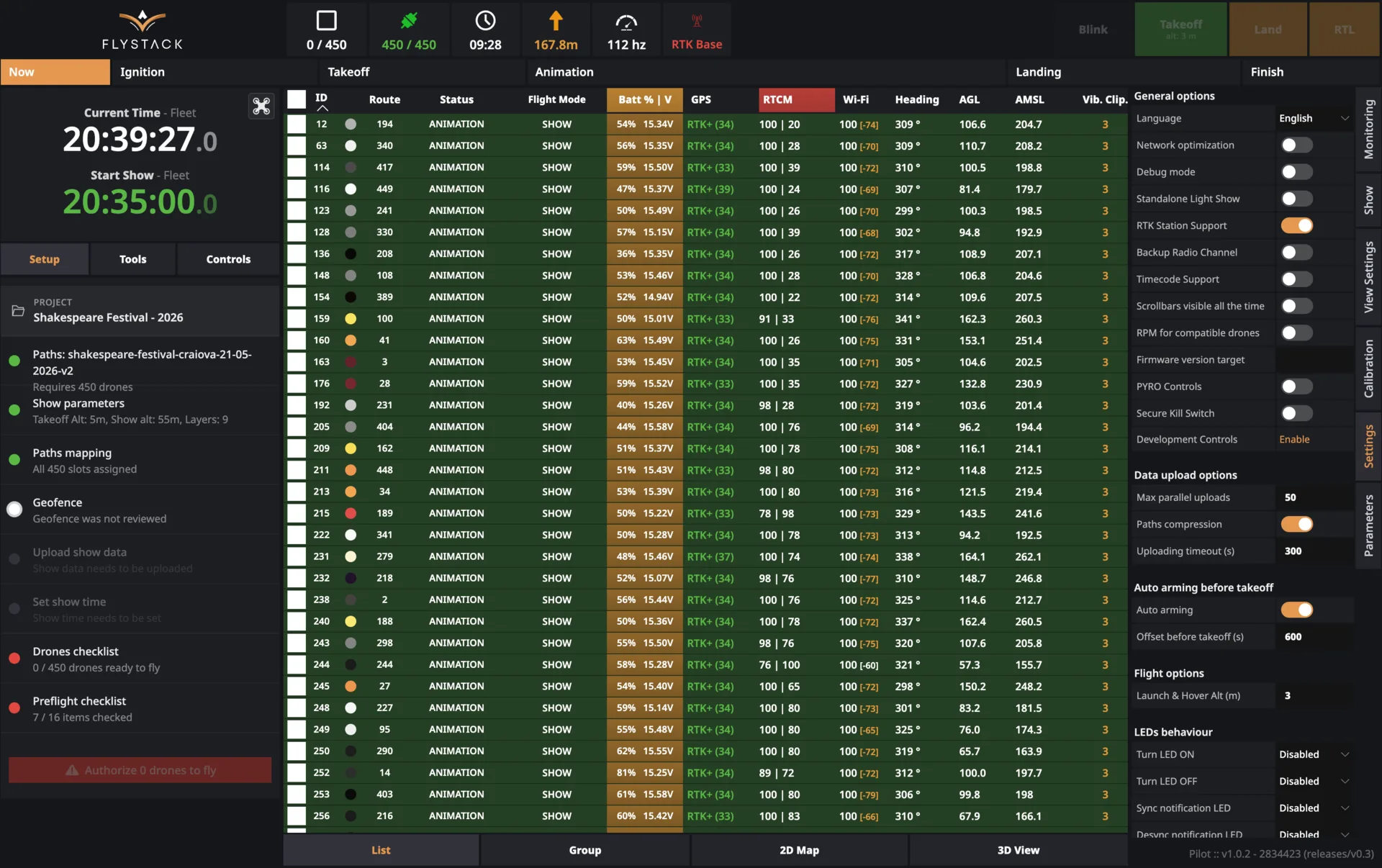
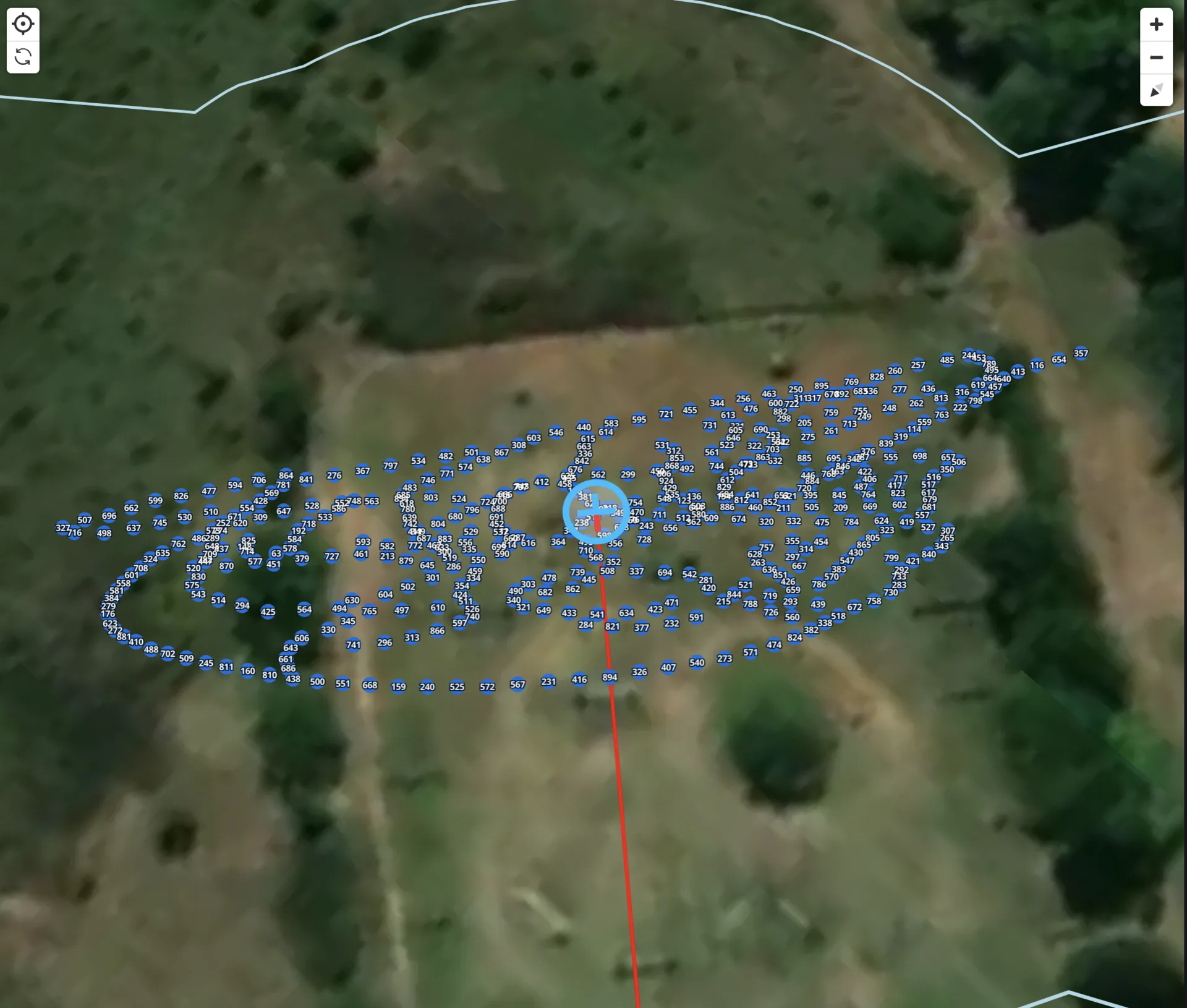
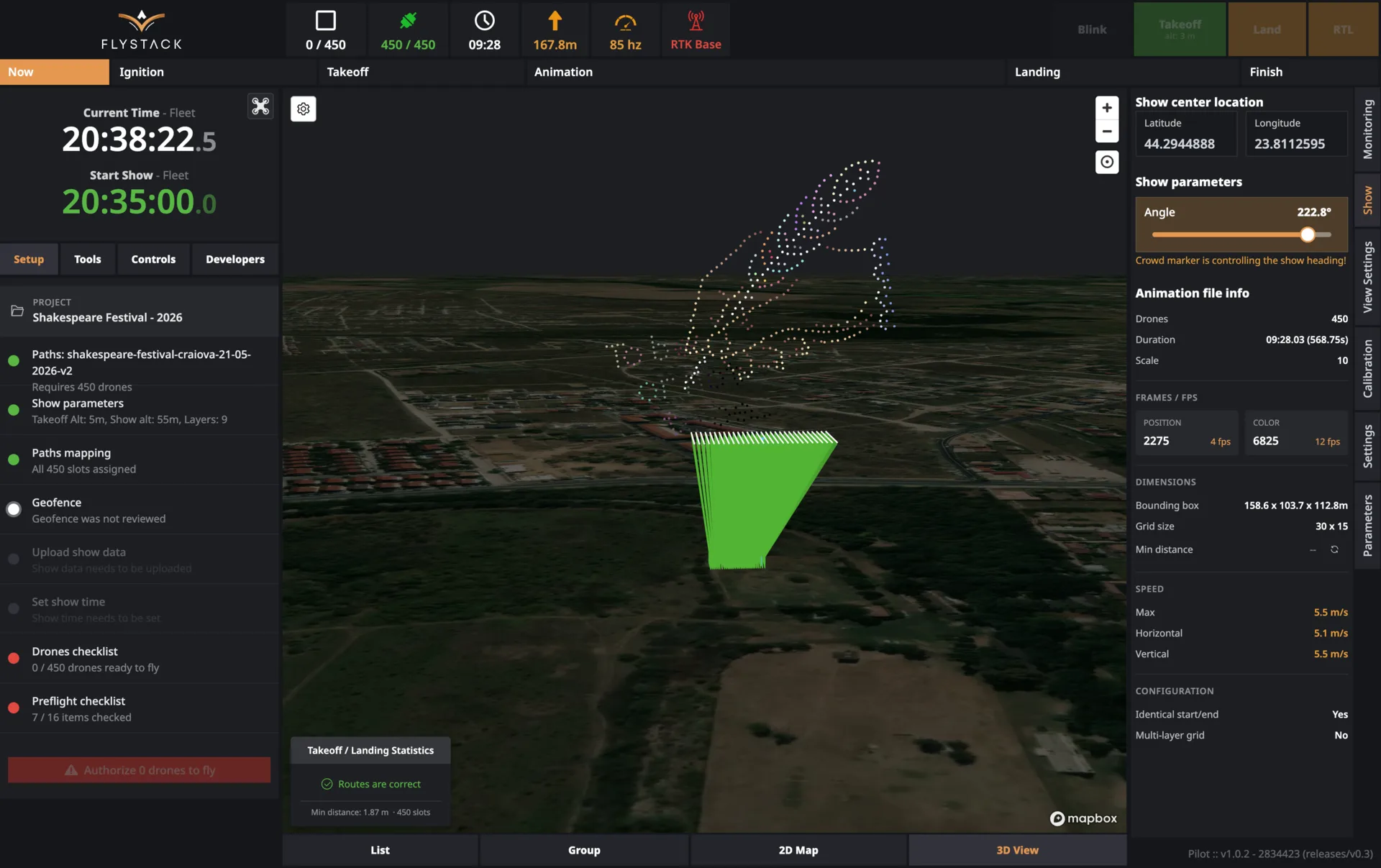
See the fleet as a fleet, not a spreadsheet.
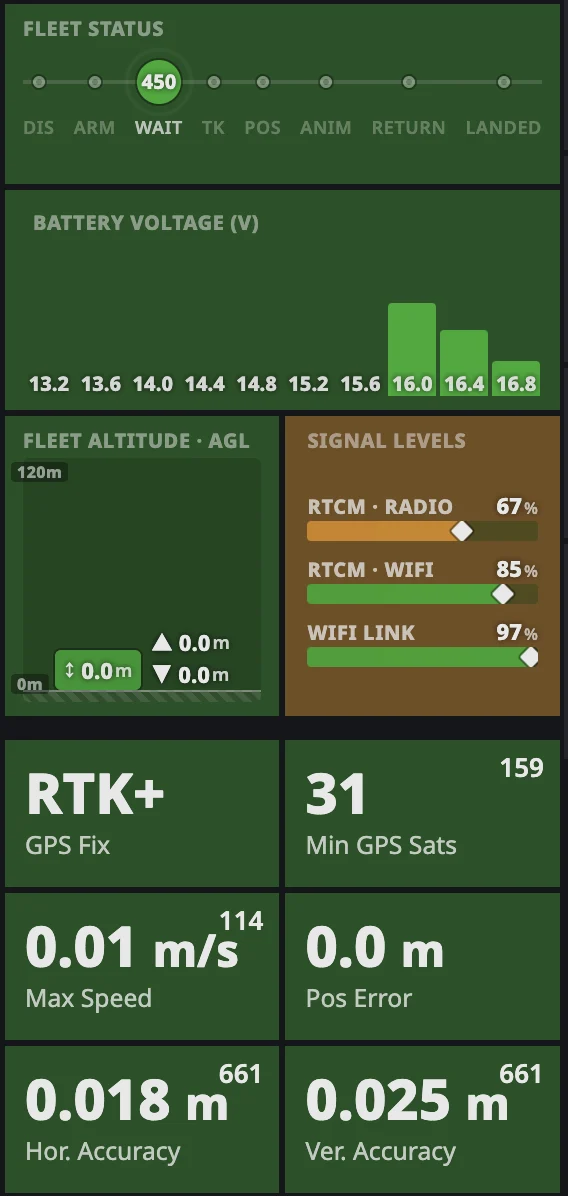
In a large fleet, one drone with a weak battery can drag every number into the red — and hide the fact that the other 449 are fine. PILOT shows the whole fleet as a shape: battery voltage as a distribution, altitude as a range, signal levels as capacity bars, flight phase as a timeline. Real problems stand out. False alarms disappear.
- Fleet Status — a subway-style timeline showing exactly how many drones are in each phase: DIS · ARM · WAIT · TK · POS · ANIM · RETURN · LANDED
- Battery Voltage histogram — full fleet distribution, colour-coded per health rule, with outliers flagged automatically
- Fleet Altitude — a vertical AGL band showing where the fleet sits in the flight envelope, with an auto-scaling ceiling
- Signal Levels — RTCM Radio, RTCM WiFi and WiFi Link, each showing the fleet minimum
Three fences between the fleet and the crowd.
PILOT wraps every show in a layered safety envelope. A Soft Fence warns as drones approach the boundary. A Hard Fence triggers automatic failsafe behavior. A Ballistic Fence continuously models the predicted impact zone — if a runaway drone's projected fall would cross the crowd line, the system can trigger emergency flight termination as a last resort. Not after impact. Before.
- Two kill switches, one authority. A dedicated physical hardware button for instant fleet-wide stop, plus a PIN-protected virtual button in the software — both trigger the same emergency termination.
- Pre-flight battery gating that adapts once the show is authorized
- Fleet-wide failsafe controls applied in a single action
Every fleet-wide problem, with the fix already suggested.
PILOT continuously scores every drone against fleet norms and surfaces anomalies the moment they appear — a drone drifting on GPS, a battery packing early, a compass out of alignment. Each alert comes with the drone id, the reason, and a recommended action right in the panel. One click selects every affected drone so the crew can act on them together.
- Live malfunction feed with plain-language causes
- Automatic anomaly detection across the whole fleet
- One-click bulk selection by problem category
- Suggested fixes for the most common issues
A backup command path that's actually separate — and encrypted end to end.
Wi-Fi drops. Radio gets crowded. In a real event environment, one channel is never enough. PILOT runs a fully independent backup radio channel alongside the main link — critical commands like kill, arm, blink and return-to-home go out on both paths at once. Every command is encrypted end-to-end, so nothing between the operator and the fleet can spoof or intercept it.
What you get
- Encrypted communication on every channel — no spoofing, no interception
- Live dashboards for both the primary and backup channels
- RTK base status at your fingertips
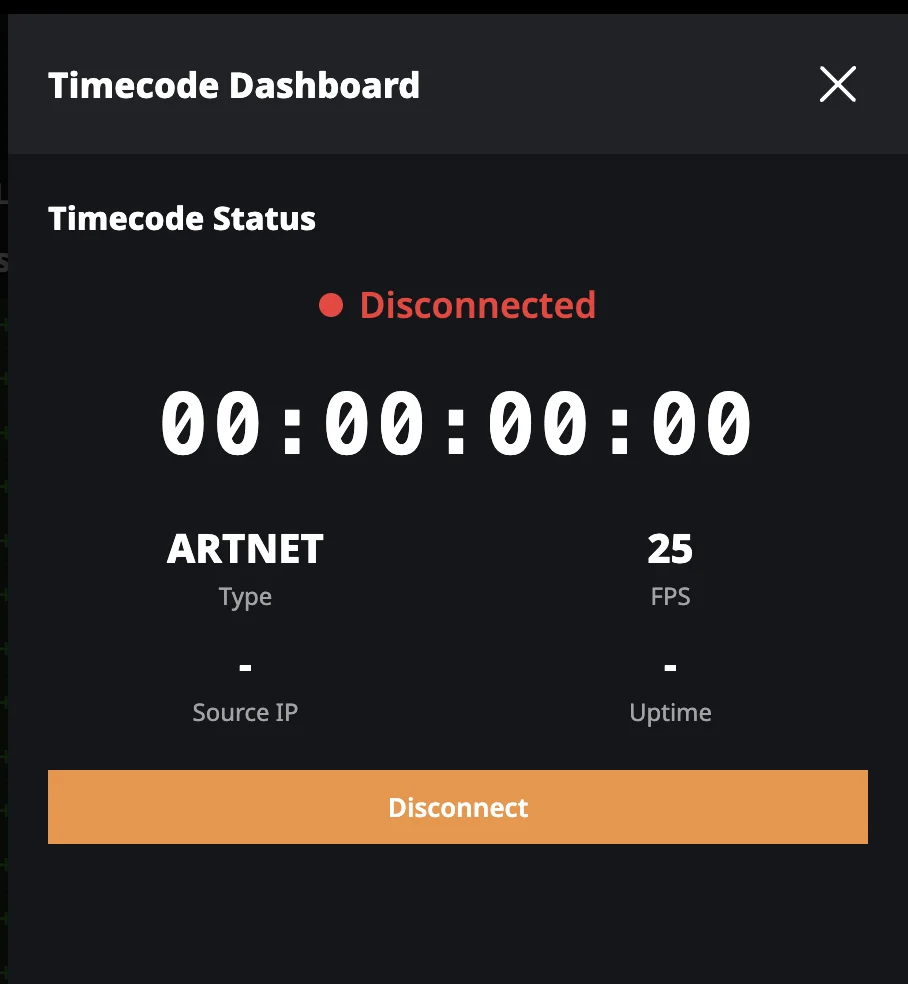
- Native TimeCode, ArtNet and DMX integration to lock the fleet to the show
Four ways to keep the fleet on the venue's clock.
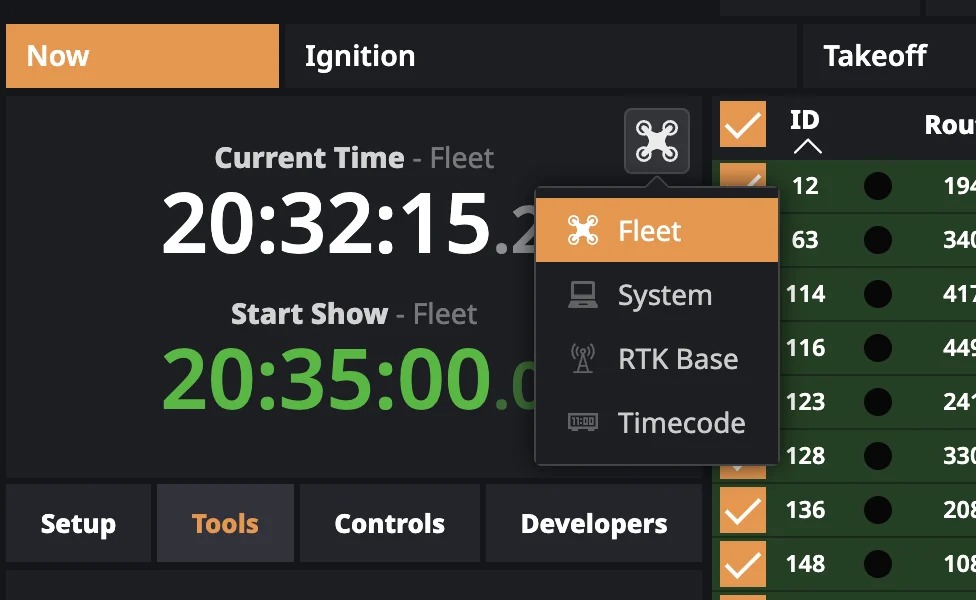
Big shows lock to timecode, RTK time, system time or fleet-derived time — depending on the stage, the pyro rig and the venue. PILOT lets the operator pick which reference drives Start Show. Every drone hears the same start moment, drift-free.
Fleet
GPS-time consensus across the drones
System
The operator's laptop clock
RTK Base
The RTK ground station's clock
Timecode
ArtNet / SMPTE ingested live from the venue
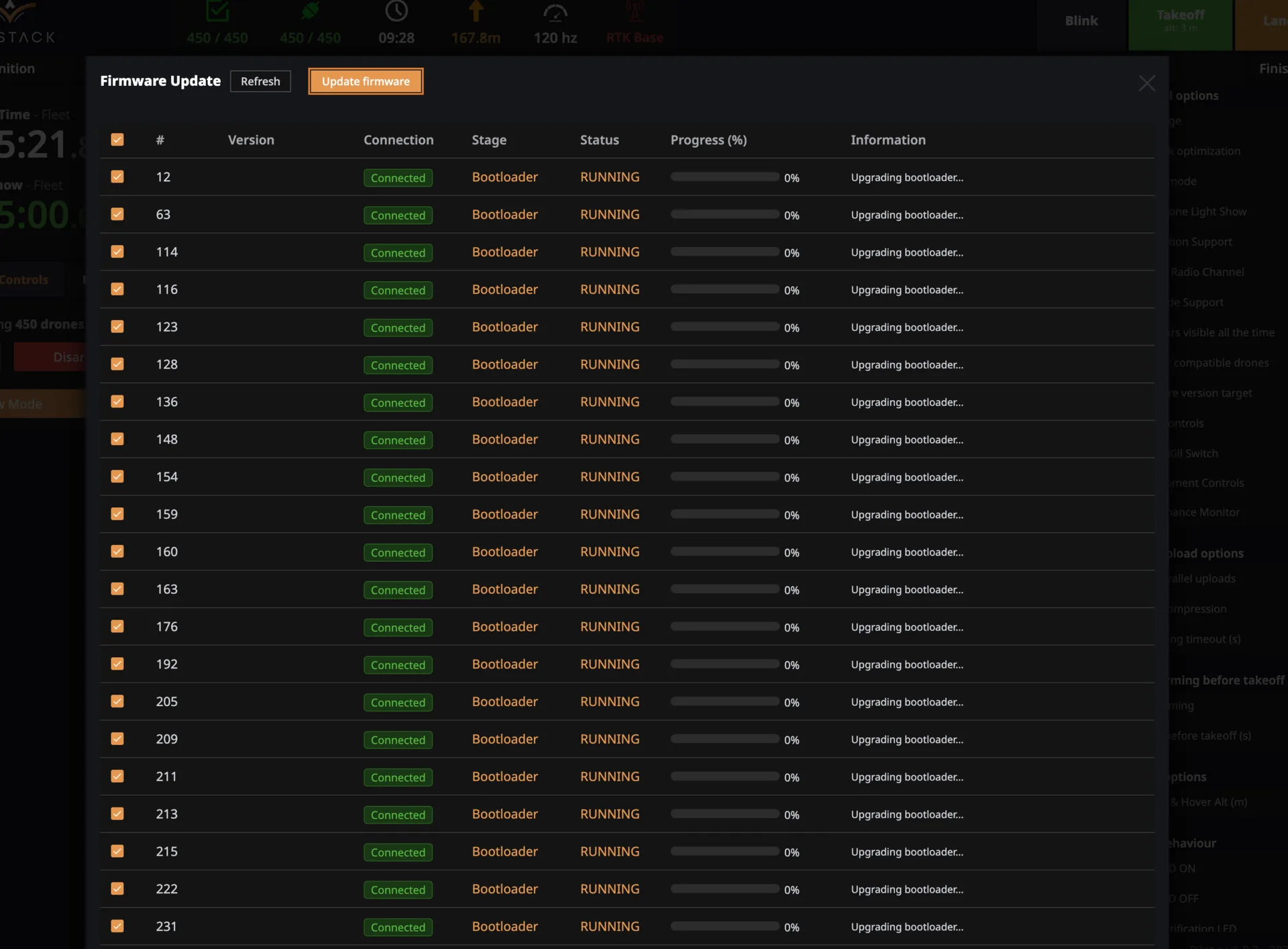
Bring hundreds of drones online in an afternoon.
A new fleet used to mean a week of one-by-one setup. PILOT bundles the work into parallel tools built for scale — firmware updates, calibration, network configuration, storage maintenance, all running across the whole fleet at once. What took days becomes hours.
- Over-the-air firmware updates across the entire fleet, with live per-drone progress
- Bootloader, main firmware, companion computer and radio module — all upgradeable from the same console
- Automated compass calibration queue
- Bulk network configuration by client preset
- SD-card housekeeping across every airframe
The system that says no when it needs to.
Paper checklists get skipped when the clock is tight. PILOT's checks happen in the software — every choreography file is verified for collision risk, speed limits, altitude bounds and boundary intersection before it can be flown. When something's wrong, the system blocks the launch until it's fixed.
Every second of the show, in the record.
Every flight generates a per-drone history — flight time, temperature, signal strength, motor health, anything that matters for the next preflight or the incident report you hope you never need. One click to export the whole thing. Your insurer, your client and your maintenance team all get the answers they need, in the format they expect.
Built open. No walled garden, no hardware lock-in.
PILOT is built on industry-standard protocols — TimeCode, ArtNet, DMX, RTK — so it fits into the infrastructure you already operate. Every integration point is standard. Nothing is proprietary except what makes PILOT better.
Fly your fleet on PILOT.
The console that runs shows for teams who can't afford one that doesn't land.